
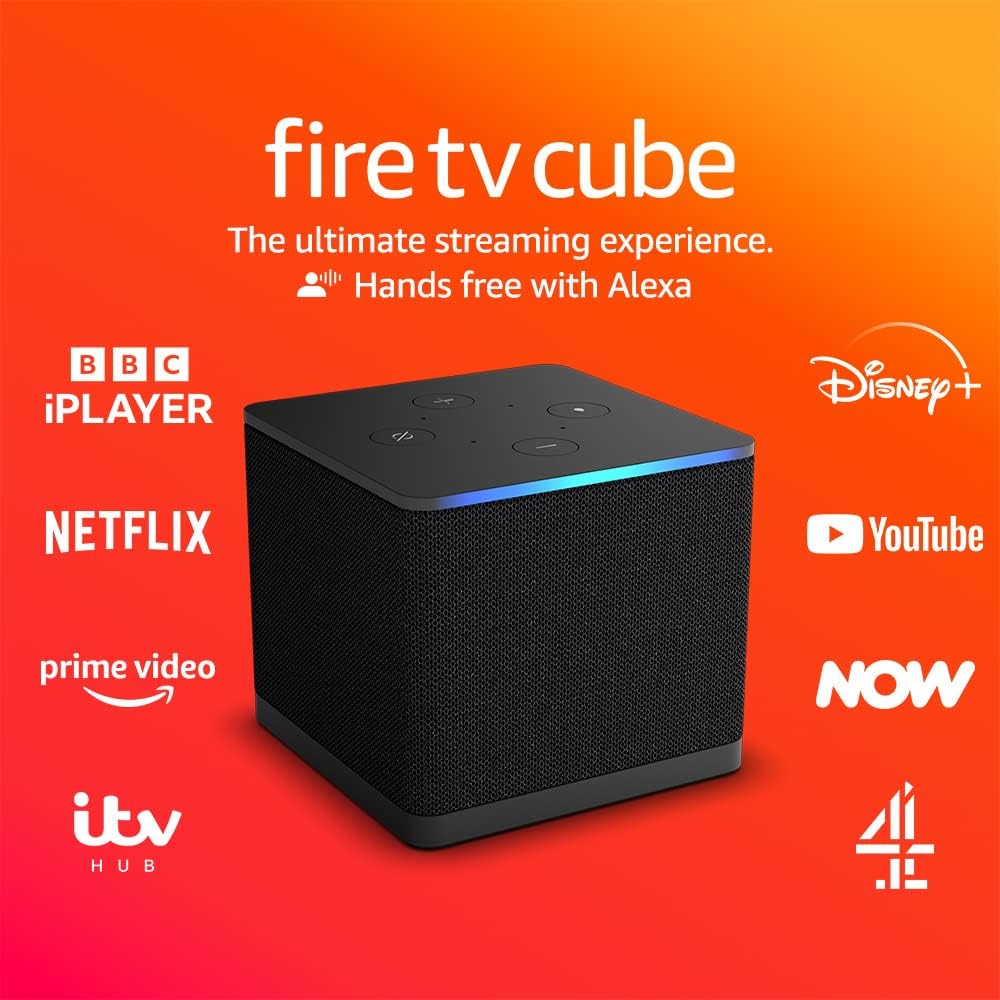
Living in a world of modern Amazon devices, beyond the likes of the Echo-Alexa (reviewed here) gadgets and Fire TV Sticks (reviewed here), the Amazon’s Fire TV Cube is an exciting product that places itself somewhere in-between all those, as if an appliance from an upcoming era – and I mean that in a good way – as it develops towards becoming a more prominent device.
Set up as their fastest-ever streaming player, with a sharp and modern design, they’ve designed the Fire TV Cube to be twice as powerful as the impressive Fire TV 4K Max Stick, with a fast-load-up time and an Octa-Core 2.0 GHz processor, which essentially means that it responds as quickly as you’d like it to, like any other streaming service, but switching them as quickly as if they were one.


Wi-Fi and Voice Activation
It features Wi-Fi 6E support, and this makes it on brand for everything now and what comes next in the world of connectivity. The Fire TV Cube also features additional ports to connect your other devices (like a soundbar), which in turn should mean you can also eventually only use your voice (via Hands-free Alexa) to get everything activated and streaming to your hearts and eyes content.
The voice-activation side is an interesting one, because while I love using my Echo Dot for questions – and don’t mind using similar things on my phone to search quickly – I personally don’t find it too complicated to just use a remote, like we always have. But, if voice-activated goodies and tech is your thing, and you’re happy to do so, then this definitely has that option to get everything going and it is genuinely easy to implement.

What Streaming Services can we use?
If you’re not using the likes of the PS5 (or other console), to run your streaming services, then the Fire TV Cube has everything here for you, from Disney+, to Netflix, Prime Video, YouTube, AppleTV, NOW, Paramount+, Pluto, freevee, and all the other variables. It’s also worth noting that the Cube has a modern look which means you’ll get a more streamlined performance model in your home, than the less design-friendly Fire TV stick slotting into the side of your TV.
It’s not complex either, once you’re setup, you can just say “Alexa, turn on the TV” to start, or “Alexa, open Prime Video” and it’ll load it up on your main screen. Obviously, you can also use the wake word with the name of what you want to watch and the built-in microphones will pick up the request and do it for you – which is very nice. And no, you don’t have to be right next to it, like the Echo range, it’ll hear you from wherever you are – in a nearby sense, or even with a loud shout!
Thoughts on the connectivity
But, I don’t think it’s perfect yet – even if the extra elements are striking in a tech sense. Some of the issues might depend on the physical space you’re adding it to, and will make a difference whether you invest. While it connected to a Sony TV easily, I found it a tad frustrating to get an Echo Device and the Fire TV Cube to really work consistently in sync, or not try to override each other, but I’m in a small flat all on one level, and I eventually solved it by changing the wake word on one of the devices.
If you haven’t got any other things close by, or a bigger space, I think you’ll be grand but if you’re looking for an all-round perfect hands-free experience, I don’t think it’s quite there yet. It’s very possible that in a larger environment it should come together, but for the purpose of this review, I have to disclose that reality from my testing.
Picture Quality and 4K UHD
On the positive side, and there are many, the picture quality is as good as they’re selling. I’m not a fan of the pure HDR that makes things look almost ‘live’ so thankfully we’ve just got the crisp, clean cinematic 4K UHD, with the much needed Dolby Vision and Dolby Atmos audio. I found it a perfectly fine smoother graphic experience, and added an HDMI cable directly from the Cube into my TV to really back that up. But – worth mentioning – don’t forget you need a 4K UHD Capable TV to watch things at that level, and what you can watch at that quality always comes down to the services and the streamer themselves, it’s not something that happens by default – yet!
I was also impressed by the ease of just asking Alexa to search for a programme I knew I wanted to watch. I guess like any other service, you still want to search in a dream-like state, and you still can do that because you have the remote. But the Fire TV Cube somewhat comes into its own with that voice option, and it’ll also help you control your TV, in a more or less basic on/off, etc, kinda way. In my test, it was plugged into the Sony TV and once it’s linked through and the WiFi starts doing its thing.
The Cube speakers and some technical details
As briefly mentioned, the Cube can play you anything from any of the streaming services you add to it, via your own voice. On the sound of the Cube itself, I’m not completely convinced that the speakers through the device itself is as strong as the recent 5th Gen Echo Dot, as it needs some bass, but you don’t truly need it as you’ve got your sound through the TV/Soundbars, etc. It’s important to point out that it does also have the privacy options as their other Amazon devices, with protection and controls available to choose from – including the mute/off button that will disconnect the microphones – as desired.
On a technical side, it’s also worth noting that its storage is a huge 16GB, which I believe is double that of the Fire TV sticks, plus some very handy ports of the back of the Cube which includes an HDMI 2.1 Input, HDMI 2.1 Output, IR Extender, USB-A 2.0, and Ethernet port 10/100 Mbps. If you do need the HDMI cable, or the IR or Ethernet ones, you’ll need to pick those up yourself, or just check that drawer full of wires – we’ve all got them!

All in all, this is a fine bit of tech for people who don’t have other options, or who haven’t used such a device before, but I’m not sure you’d really benefit if you’ve got those choices already. While I did have trouble trying to connect all my external devices into one place, and they are selling it on being easy enough, I have a feeling that much like the Echo’s, we might have a few adjustments to new generations (or updates) to iron out those concerns.
Overall, I have to reiterate this is a high quality product, as the Fire TV Cube is another forward-thinking addition to the Amazon range. In my experience of reviewing them over the past 7 years or so, the brand has stepped up each time and improved. The other benefit is they remain reasonably affordable, which I personally think is crucial to keep things accessible and equally exciting!

Pick up your own Amazon Fire TV Cube here: https://amzn.to/3Ldz3pX





![Unquiet Guests review – Edited by Dan Coxon [Dead Ink Books]](https://criticalpopcorn.com/wp-content/uploads/2025/10/ug-reddit-ad-e1761690427755.jpg?w=895)

![Martyrs 4K UHD review: Dir. Pascal Laugier [Masters Of Cinema]](https://criticalpopcorn.com/wp-content/uploads/2025/10/image-1-e1761586395456.png?w=895)


![Why I Love… Steve Martin’s Roxanne [1987]](https://criticalpopcorn.com/wp-content/uploads/2016/11/roxanne.jpg?w=460)


 Critical popcorn
Post your thoughts